
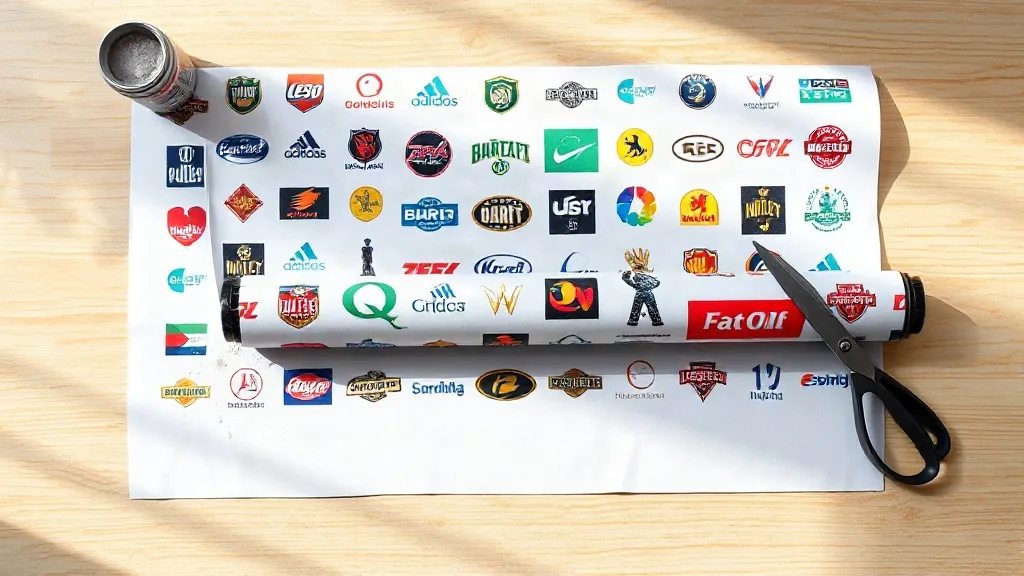
Most small print shops do not lose money on the big jobs. They lose it in the gaps: a half-empty sheet of film, a reprint because two logos sat too close, a batch of shirts pressed with transfers that peeled after the third wash. A DTF Gangsheet is the format that closes most of those gaps, provided you understand what it actually is and how to fill it intelligently. This guide covers the mechanics, the economics, and the file habits that separate a sheet that pays for itself from one that quietly eats your margin.
What a Gangsheet Actually Is
Direct-to-film printing works by jetting water-based pigment ink onto a coated PET film, then applying a hot-melt adhesive powder that fuses to the wet ink. The result is a transfer you can store, ship, and press onto cotton, polyester, blends, and even some nylon and canvas goods. A gangsheet is simply the practice of arranging multiple designs on a single continuous roll or sheet of that film before printing, rather than running one design per job.
The term comes from traditional screen printing, where "ganging" meant combining several jobs onto one screen to spread setup costs. In DTF the logic is nearly identical, but the savings come from film length, powder consumption, and machine time instead of screen prep. You pay for a linear meter of printed film, so every square centimeter you leave blank is money you already spent.
Roll versus sheet formats
Most DTF printers run on rolls, typically 30 cm, 60 cm, or 100 cm wide. A gangsheet is a defined length of that roll, often 50 cm to 300 cm, filled with artwork. Some shops also work with pre-cut sheets, which are easier to handle in small spaces but limit how tightly you can nest designs. If you are pressing a few dozen pieces a week, roll-based ganging gives you the most control over waste.
Where the Cost Savings Come From
A single A4-sized transfer might cost a couple of dollars in materials when printed alone, mostly because you pay for film and powder across the full sheet regardless of how much ink is on it. Fill that same area with six small left-chest logos and the material cost per logo drops sharply. Nothing about the chemistry changes. You are just amortizing fixed material costs across more output.
Three cost buckets respond to good ganging:
- Film: the largest and most obvious saving, since film is priced by length.
- Adhesive powder: applied across the printed area, so tighter nesting means less powder scattered onto blank film.
- Labor and press time: one load, one cure, one trim session instead of five separate ones.
There is a practical floor here. If your sheet is so packed that trimming and weeding become slow, you have traded material savings for labor cost. Most shops find a sweet spot where designs sit 3 to 5 mm apart, leaving enough margin to cut cleanly without wasting film.
Building a Sheet That Presses Cleanly
The file setup is where most first attempts go wrong, and the failures are not always obvious until the transfer is on a shirt. Work through these steps in order.
1. Standardize your canvas before placing anything
Set your document to the exact printable width of your roll, then add the length you intend to print. Keep artwork inside a safe margin of roughly 5 mm on all sides. Printers do not always feed perfectly straight, and a design that touches the film edge will lose part of its outline when trimmed.
2. Size each design at final print dimensions
Do not place a design at 70 percent and plan to scale it later. Transfers are printed at 100 percent, so what you see on the canvas is what lands on the garment. A full front print is typically 28 to 30 cm wide, a left chest 8 to 10 cm, and a sleeve hit 6 to 8 cm. Decide the placement first, then size accordingly.
3. Respect the gaps
Adjacent designs need breathing room. Two elements closer than about 2 mm can bleed into each other during powder application, and trimming becomes a knife-edge exercise. Three to five millimeters is comfortable for most cutters and scissors. If you use a vinyl cutter to trim, add registration marks outside the trim line rather than inside the artwork.
4. Keep white ink coverage in mind
DTF prints a white ink layer beneath the color so the design stays opaque on dark garments. Very fine details, hairlines, and tiny text under about 6 points can lose definition in that white layer. If a design relies on delicate linework, thicken strokes slightly or test a small sample before committing a full sheet.
5. Group by garment color and order
Ganging is not only about geometry. Grouping designs that will be pressed onto the same fabric type and color lets you run one press setup and one set of parameters. Mixing a 100 percent cotton job with a 50/50 blend on the same sheet is fine for printing, but you will still need different press settings, which erodes the time savings.
Powder, Cure, and Storage
Once printed, the sheet gets powdered and cured. Shake powder evenly across the wet ink and then remove the excess thoroughly. Leftover powder on blank film areas will cure into a tacky film that can transfer onto your press platen and contaminate later jobs. A gentle rocking motion plus a few taps from the back of the sheet handles most of it.
Curing temperatures vary by powder and film, but most systems run in the 160 to 170 degrees Celsius range for a short dwell. Under-cured transfers feel gritty and wash poorly. Over-cured transfers become brittle and crack along fold lines. If you are unsure, cure a test strip and do a stretch test: the ink should stretch with the fabric rather than flake away.
Store finished transfers flat, ink side up, in a cool dry place away from direct sun. Stacking them ink-to-ink can cause blocking in humid weather. A simple cardboard folder or a shallow drawer works better than a sealed plastic bag, which traps moisture.
Pressing Parameters That Actually Matter
Press settings do more damage to DTF transfers than most people realize. The common failure is pressing too hot for too long, which flattens the adhesive into the fabric and produces a stiff, plasticky hand feel. A reliable starting point is 150 to 160 degrees Celsius for 10 to 15 seconds with medium pressure, peeling the carrier film warm or cold depending on the film type.
Two habits improve results noticeably. First, pre-press the garment for a few seconds to remove moisture, especially with heavyweight cotton hoodies. Second, use a cover sheet or protective paper over the transfer so the carrier film does not stick to your upper platen. Repress after peeling for another 5 seconds with the cover sheet to lock the edges down.
Common Mistakes Worth Avoiding
- Filling every square centimeter and then spending an hour trimming. Leave working room.
- Mixing radically different ink coverage on one sheet, which can cause uneven curing across the length.
- Printing a full sheet before testing one design on the actual garment you plan to sell.
- Forgetting that gangsheets have a shelf life. Print what you will press within a few weeks rather than stockpiling.
- Ignoring grain direction on stretch fabrics, which shows up later as curling edges.
When a Gangsheet Is the Wrong Choice
Ganging rewards repetition and planning. If you sell one-off custom pieces with wildly different artwork sizes, the nesting effort may outweigh the material savings. The same applies to very large single images, such as full back prints on oversized garments, which leave little room to combine with anything else. In those cases a straightforward single-design run is simpler and often cheaper once you count the time spent arranging files.
The format shines for shops with a predictable catalog: team jerseys, staff uniforms, event merch with a logo plus a name, or a product line where the same twelve designs repeat. That is the profile where a well-built sheet turns a marginal job into a profitable one.
Frequently Asked Questions
How many designs fit on a typical gangsheet?
It depends entirely on size. A 60 cm wide by 100 cm long sheet comfortably holds around twenty left-chest logos at 8 cm wide, or roughly six to eight full front prints at 28 cm wide. Build the layout in your design software first and let the count follow from the geometry rather than aiming for a target number.
Can I mix different fabric types on the same sheet?
Yes, printing is unaffected by the eventual garment. The constraint is at the press. Cotton, polyester, and blends absorb heat differently, so you will need separate press settings and possibly separate press runs. Group by fabric when you can, and the labor savings stay intact.
How long can I store printed DTF transfers before using them?
In dry conditions, most transfers press well for several weeks to a few months. Humidity is the real enemy, since moisture interferes with the adhesive layer. Keep them flat, away from sunlight, and avoid storing them in damp rooms or unheated garages over winter.
Why did my transfer peel after washing?
Peeling usually traces back to one of three causes: insufficient pressure during the press, under-curing of the powder, or washing the garment inside out at high heat too soon. Wait at least 24 hours before the first wash, turn the garment inside out, and use a cool cycle. If a test piece still peels, increase pressure before increasing temperature.
Do I need special software to build a gangsheet?
No dedicated tool is required. Any vector or layout program that lets you set an exact canvas size and place artwork at true dimensions will work. What matters is accuracy: correct roll width, correct margins, and designs placed at final print size. A simple template saved once will save you time on every future sheet.